Coolicons icons set figma is a modern icon set designed for clarity, consistency, and everyday UI use. Built with a clean visual style, this free icon set for Figma works especially well in web applications, dashboards, SaaS products, and mobile interfaces where icons need to be readable at small sizes while still looking polished.
Icons are one of the most reused elements in interface design. A well designed icon set saves time, reduces inconsistency, and improves usability across an entire product. Coolicons offers a balanced approach by providing icons that feel friendly and modern without being distracting or overly decorative. This makes them easy to pair with a wide range of UI styles, from minimal layouts to more detailed interfaces.
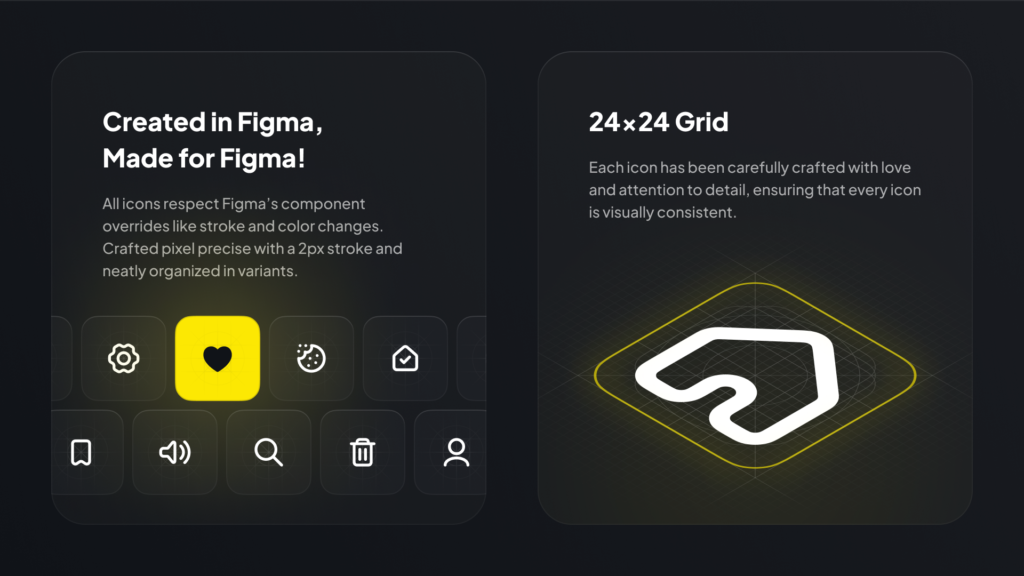
Because this icon set is available in Figma, it fits seamlessly into modern design workflows. You can quickly drop the figma icons into buttons, navigation menus, forms, and dashboards, then adjust size or color to match your design system. The icons remain sharp and consistent thanks to their vector format, which is ideal for responsive layouts and multi device designs.
What you can use Coolicons for
This icon set is flexible enough to support many different projects:
- Navigation and menu icons for web apps
- Action icons for buttons and toolbars
- Dashboard and analytics interfaces
- Forms, settings, and system UI elements
- Design systems and component libraries
- Prototypes and early wireframes
Why modern icon sets matter
Icons help users scan interfaces faster and understand actions instantly. A consistent icon style improves usability and reduces cognitive load. Coolicons focuses on clear shapes and balanced proportions, which helps icons remain recognizable even when used alongside dense UI elements like tables or charts.
Using a single icon set across a project also makes collaboration easier. Designers, developers, and stakeholders all work with the same visual language, reducing confusion and rework during implementation.
Tips for using icons effectively
To get the most out of this icon set, keep these simple guidelines in mind:
- Use the same figma icons style throughout your product
- Keep icon sizes consistent within each section
- Pair icons with labels when clarity is important
- Use color sparingly to indicate state or priority
- Avoid mixing icon sets unless absolutely necessary
Easy to customize in Figma
Coolicons by Kryston Schwarze is easy to duplicate, customize, and integrate into your existing files. You can recolor icons to match your brand palette, scale them for different contexts, or include them directly inside components. This makes the set especially useful for teams building reusable UI systems or working across multiple projects.
If you are looking for a clean and reliable icon library to support modern interface design, Coolicons is a strong choice.
Download Figma IconsReport missing link