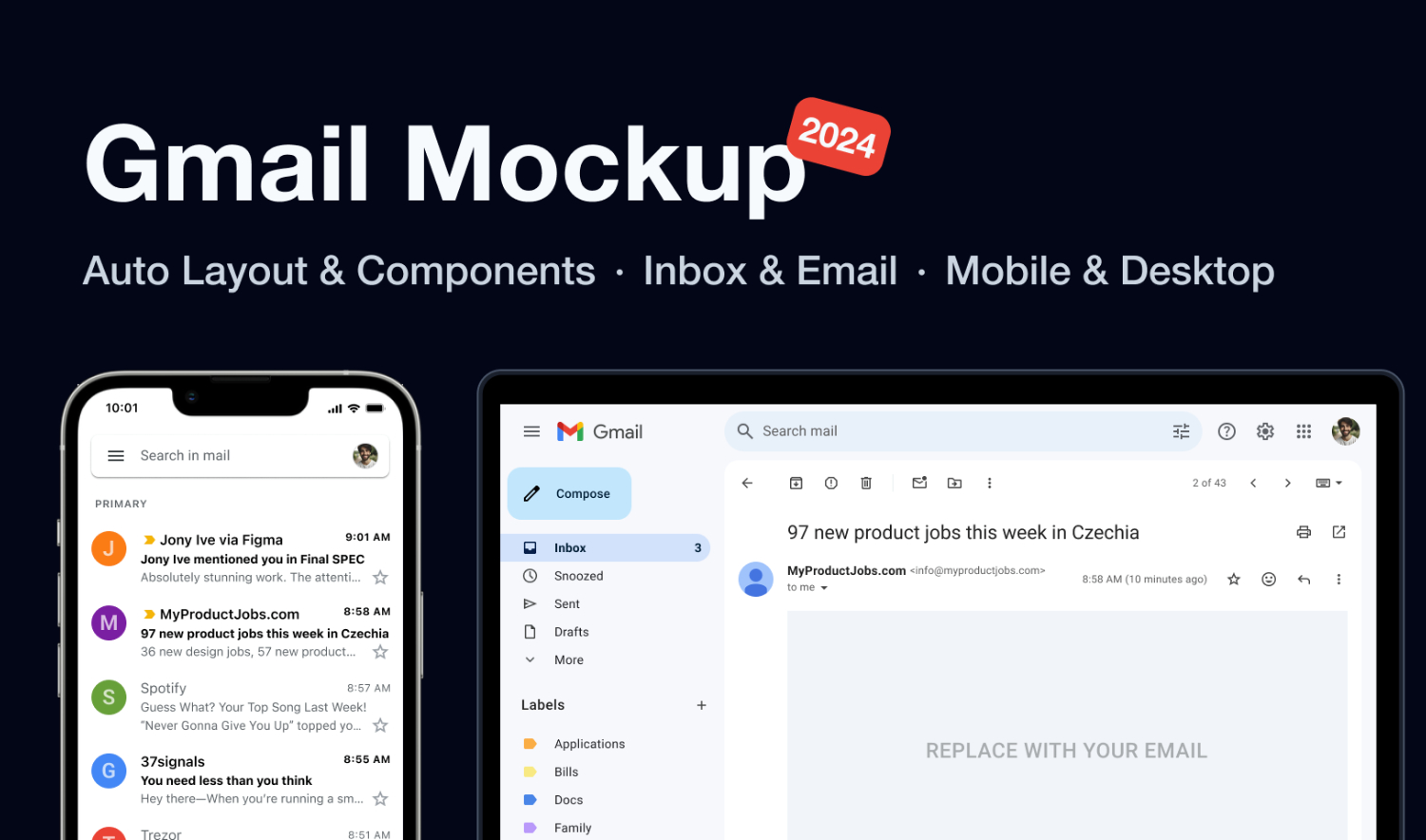
Download a free Gmail app UI Figma Mockup, featuring a clean, modern layout inspired by the latest Gmail interface we all use every day. This Figma resource has been carefully designed to reflect real-world email app patterns, making it an excellent reference for designers who want to build familiar, intuitive, and user-friendly inbox experiences.
The UI is fully auto-layouted and well structured, allowing you to easily resize components, adjust spacing, and experiment with different screen sizes without breaking the design. Whether you are working on a real product, a concept project, or simply sharpening your design skills, this Gmail-inspired Figma file provides a strong foundation for UI/UX inspiration, wireframing, and fast prototyping.
One of the key strengths of this resource is its balance between realism and flexibility. The screens closely mirror how Gmail looks and behaves today, while remaining neutral enough to be reused, customized, or adapted for other email-based products such as messaging platforms, internal communication tools, customer support inboxes, or productivity apps.
The file includes both desktop and mobile Gmail screens, making it especially useful for designers working on responsive or cross-platform products. In addition to the fully detailed UI screens, the resource also includes simplified “fast sketching” versions. These lighter layouts are perfect for quickly testing ideas, creating low-fidelity wireframes, or exploring user flows without getting stuck in visual details too early in the process.
What’s Included (6 Screens)
You’ll get a total of six thoughtfully prepared screens that cover the core email experience:
- Desktop Inbox – a full inbox layout suitable for large screens
- Desktop Email – an open email view with structured content
- Desktop Email (fast sketching) – a simplified version for rapid ideation
- Mobile Inbox – a compact inbox optimized for mobile UX
- Mobile Email – an individual email screen for mobile devices
- Mobile Email (fast sketching) – a lightweight version for quick wireframes
Each screen uses Auto Layout wherever possible, making it easy to experiment with spacing, alignment, and component behavior.
Gmail App UI Figma Ideal For
This Gmail UI mockup is a versatile resource that can be used by designers at different stages of their workflow:
- UI/UX designers and product designers looking for realistic interface references
- Designers seeking email app UI inspiration based on familiar user patterns
- Anyone practicing or learning Auto Layout in Figma
- Teams working on rapid wireframing and prototyping
- Designers building or refining a design system for inbox or email flows
It’s also a great educational resource for beginners who want to understand how modern email interfaces are structured, as well as for experienced designers who want a reliable starting point when time is limited.
Overall, this free Gmail app UI Figma resource is perfect for speeding up your design process while maintaining clarity, consistency, and usability. Whether you’re sketching ideas, building prototypes, or studying interface patterns, this mockup provides a practical and flexible reference you can return to again and again.
Download Figma MockupReport missing link